
Table of Contents
Theme features #
- Enable back to top button
This option will show/hide the back to top button on the site. - Enable the page transition effect
This option will enable/disable the page transition effect, but it might effect the page first loading time if you enable the transition effect. - Enable animation in viewport
This option will enable/disable the scroll animation on the whole site. If you enable the scroll animation, then the sections will have the effect when you scroll into view. Each animation direction in sections will follow the section setting. - Enable full-page scroll effect
A full-page scroll effect creates an immersive experience where each scroll moves the user to a new full-height section. Each sections can have full screen height and you can apply the full-page scroll effect to the sections which have the full screen height.
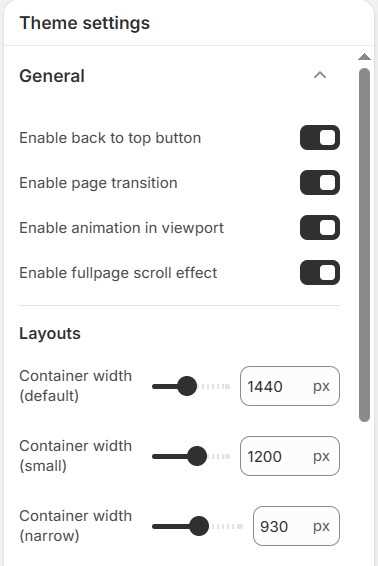
Note: If you enabled the full-page scroll effect, then the back to top button might be not working as expected. Be aware of using two features together.
How many width options can you use? #
The Nature theme provides with five options for container width in each sections, such as “Full“, “Wide“, “Default“, “Small” and “Narrow“. You can manage the container width in this settings excepting for “Full” and “Wide“.
“Full” and “Wide” container width options will give the full width to the container, but the difference is that, “Full” width will have no paddings, but “Wide” width will have small paddings.