

Nature theme provides with the top bar section in header section group, the section has five block types such as
- Menu
- Announcement
- Social Icons
- Language Selector
- Currency Selector
You can add the blocks which you want to put and configure the options how to show the block on the section. On the desktop, the section has three parts of Left, Center and Right and each block will be located in each part according to the block option “Block position”, not related with block order.
In order to update the background and text color, you need to choose a proper color scheme.
Menu block #
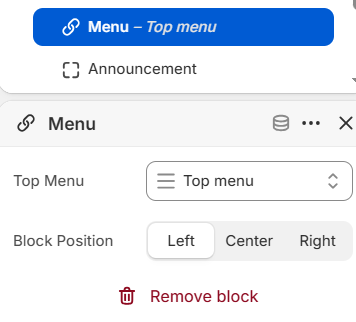
If you want to put a quick navigation list on the section, you will add this block.
On the block settings, you will choose the menu to show and the block position where you want to put.
Announcement Block #
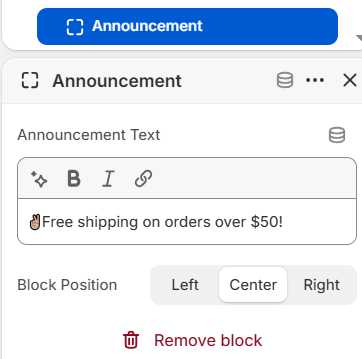
This block can be used to show a simple announcement text. You can input the announcement text as Rich Text, but it does not allow to add custom html code.
Social Icons #
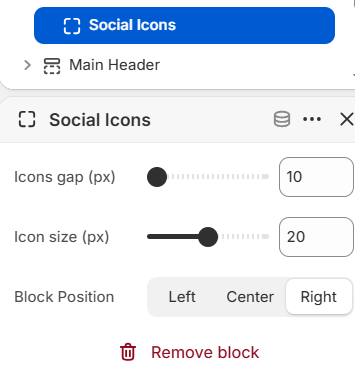
In order to add the social icons on the top bar, you will use this block and configure the block options.
You can set the icon size and icons gap, but the social icons and links can be only changed on Theme Settings -> Social media / Social accounts.
Language Selector and Currency Selector #
These two blocks have the same options and you can choose an option whether you want to show the country flags in the selector.
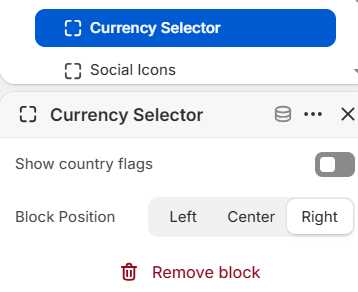
The selector color and shape follows the button style in the section and button shape in theme settings.